FL Studio Patcher presets

These Patcher presets are for FL Studio 25.1.6 and later. No external assets or plugins are required.

Free to download and use, including in commercial music production. All Patcher connections are fully visible. Reselling these presets is not permitted.

How to load these presets
  1. Download the .fst file and open a project in FL Studio 25.1.6 or later.
  2. Add the preset folder to the FL Studio Browser, then drag the .fst preset to an empty area of the Channel Rack to load it as an instrument.
  3. Play notes from a MIDI keyboard or the Piano roll. Use the control panel to shape the sound and the Map tab to inspect the connections.

These are native FL Studio presets, not VST installers. Official Patcher manual ↗

Qumanit 808

v0.7

Drum machine

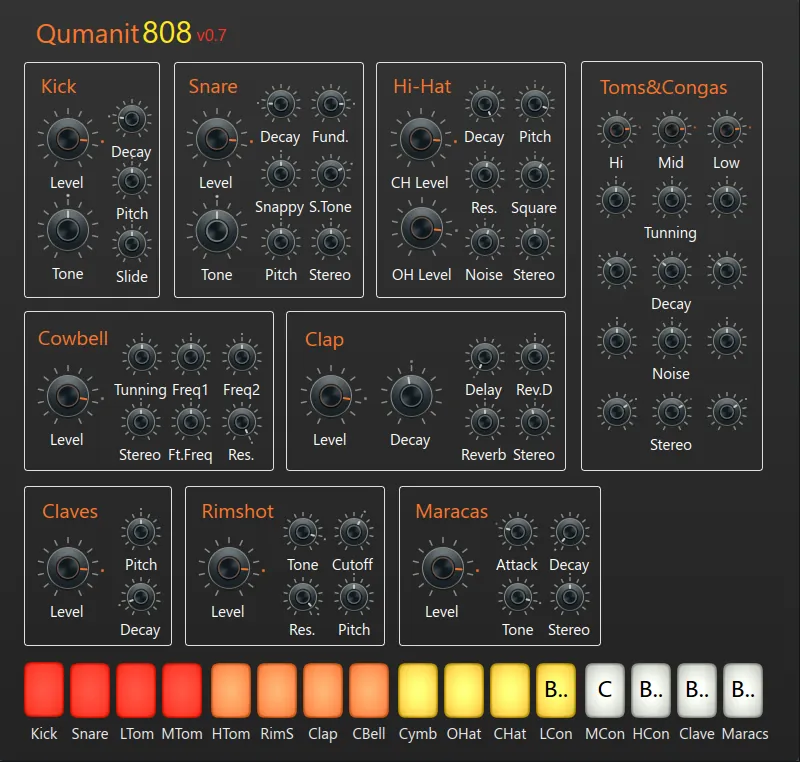
Recreates the original circuit-based synthesis of the classic 808 drum machine. Fully synthesized, without samples.

The left and right channels work like two independent 808s, with adjustable stereo width. Offers more sound controls than the original and separate outputs for individual instruments.

v0.7 .fst · 499 KiB

Download preset .fst
Qumanit 808 complete control panel

HamorG

v1.5

Tonewheel organ

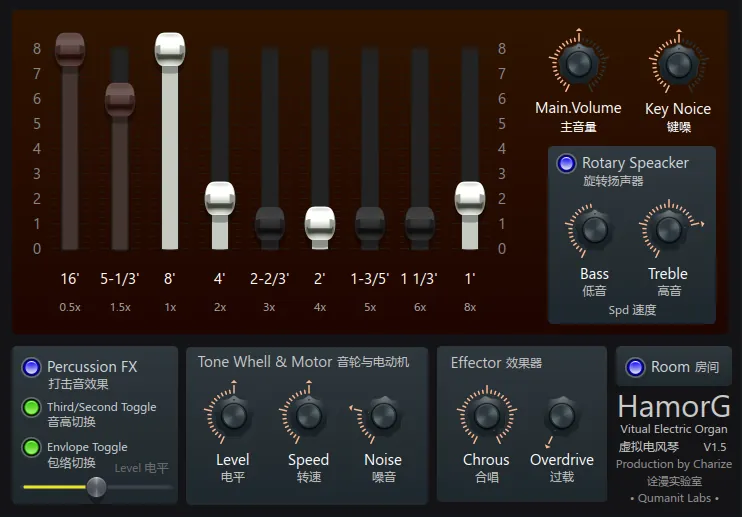
A fully synthesized recreation of a tonewheel electric organ.

v1.5 .fst · 200 KiB

Download preset .fst
HamorG complete control panel

Feedback

Only you and company staff can view your feedback.